

Create a new Nx workspace using one of these options:
- Option 1: Create locally with templates - Run a command to scaffold a new monorepo on your machine
- Option 2: Create via Nx Cloud - Use the browser-based setup with CI/CD pre-configured
Option 1: Create Locally with Templates
Section titled “Option 1: Create Locally with Templates”Run the following command to create a new Nx workspace:
npx create-nx-workspace@latestThis interactive command guides you through the setup:
- Workspace name - The name of your root directory
- Template - Choose from various technology stacks (React, Angular, Node, etc.)
- Package manager - npm, yarn, pnpm, or bun
- Additional options - Styling, testing frameworks, and more depending on your template
For a minimal setup, choose the empty workspace template (--preset=ts). This gives you a bare TypeScript monorepo that you can extend incrementally.
Option 2: Create via Nx Cloud
Section titled “Option 2: Create via Nx Cloud”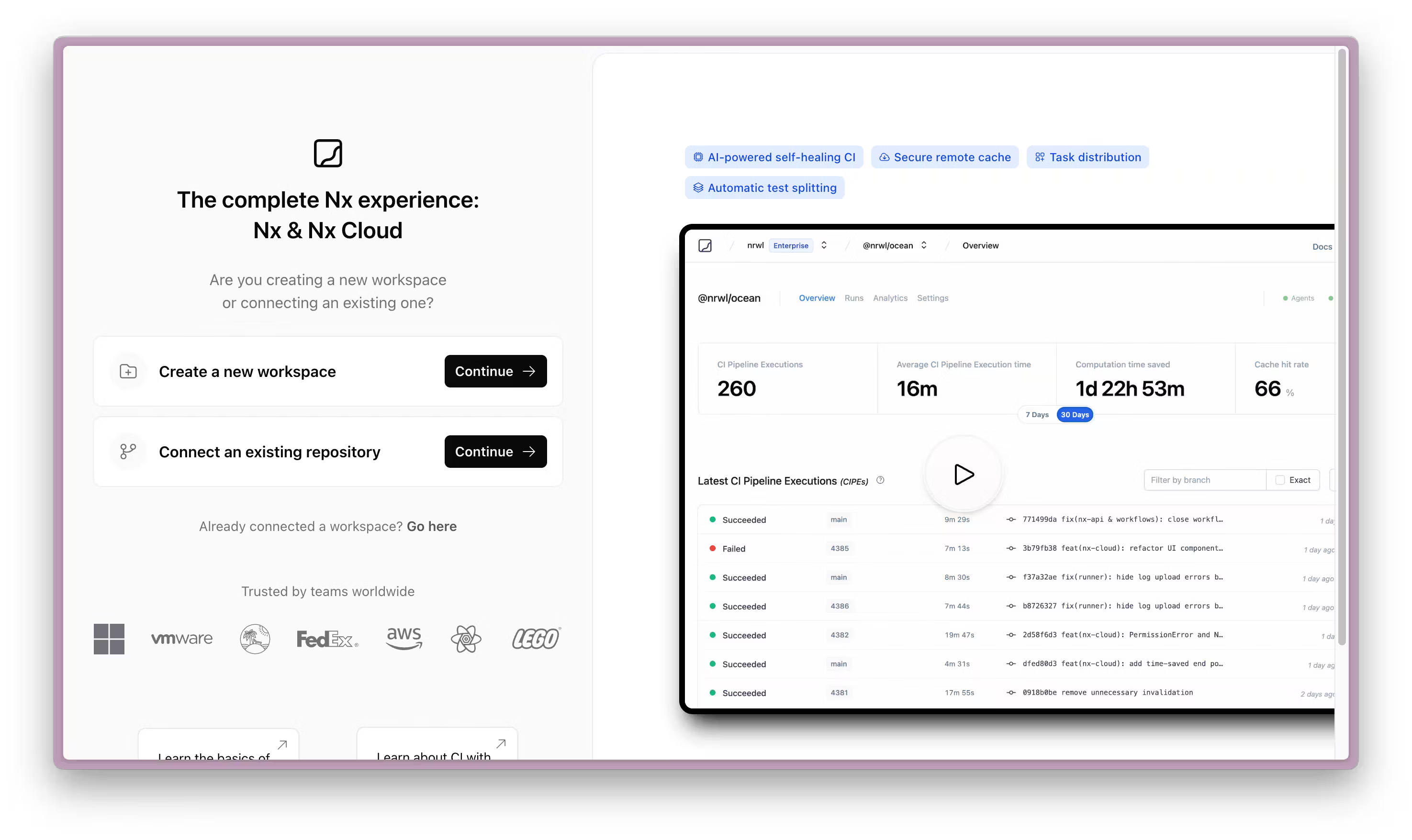
Create your workspace directly from Nx Cloud for a browser-based setup experience.
This option gives you:
- A working CI configuration out of the box
- Remote caching enabled from the start
- Self-healing CI that automatically fixes common failures